

Big Train James
Western Thunderer
Brian,
Thanks for the graphic. It's clear we are talking about the same issue. I've taken a look around some of the cad support forums regarding tessellation lines. It seems they are an autocad annoyance with limited remedy available.
In model space, for the purposes of a screen grab, it would seem the only visual style without tessellation lines is the "Shaded" style. The tessellation lines seem to show in all other styles. This is without regard to setting "Isolines" to 0, or any other number. In paper space (or layout tabs in modern Autocad parlance), the plot visual style can similarly be set to Shaded, and there are no tessellation lines.
Below: Model space with visual style set to "Shaded", captured with the snipping tool:
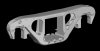
Paper space with visual style set to "Shaded", plotted to a jpg:
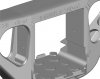
There is some faceting showing, which I expect can be fixed to some extent.
There may be other methods to get rid of the lines, based on what I see on the forums, but I wasn't able to achieve the desired result following the given instructions. Some of the methods are dated and clearly apply to much earlier versions of Autocad. A shallow dive didn't reveal an effective recent solution. There are commands such as "Flatshot" and "Solprof" which produce what amounts to a line drawing without tessellation, but at the same time without surfaces rendered they lack quite a bit of information. By the way, if you try these commands, I'd recommend saving your original file as something else first.
Jim
Thanks for the graphic. It's clear we are talking about the same issue. I've taken a look around some of the cad support forums regarding tessellation lines. It seems they are an autocad annoyance with limited remedy available.
In model space, for the purposes of a screen grab, it would seem the only visual style without tessellation lines is the "Shaded" style. The tessellation lines seem to show in all other styles. This is without regard to setting "Isolines" to 0, or any other number. In paper space (or layout tabs in modern Autocad parlance), the plot visual style can similarly be set to Shaded, and there are no tessellation lines.
Below: Model space with visual style set to "Shaded", captured with the snipping tool:
Paper space with visual style set to "Shaded", plotted to a jpg:
There is some faceting showing, which I expect can be fixed to some extent.
There may be other methods to get rid of the lines, based on what I see on the forums, but I wasn't able to achieve the desired result following the given instructions. Some of the methods are dated and clearly apply to much earlier versions of Autocad. A shallow dive didn't reveal an effective recent solution. There are commands such as "Flatshot" and "Solprof" which produce what amounts to a line drawing without tessellation, but at the same time without surfaces rendered they lack quite a bit of information. By the way, if you try these commands, I'd recommend saving your original file as something else first.
Jim