Giles' misc. Work bench.

Giles

Western Thunderer
Extraction is finished and working, and I've rigged a camera (not the best in the world, but I'll be able to see if it's working or not....) which I can watch on my phone or pad. I've also started hanging tools on the side of the enclosure which is very useful!


This is the picture with nothing happening...


I've managed to update my Lightburn licence for Galvo lasers (£92) so I now need to set up lightburn for the machine, and then I can run some tests.....
 

Giles

Western Thunderer
After lots of trials and tribulations I've had some success. The EZCAD provided insists it's a Demo version, even though it also says its licenced to me, which is no help at all.... one of the files that is necessary for both EZCad and Lightburn refused to be read or recognised, so it took me most of the day to get the thing up and running, which I believe it now is (on Lightburn).
I did a test on a 90% square on black card to check for size accuracy and straight lines, and it appears to be bang on - which also means the software is doing its thing.... emboldened by this, I put some nickel silver sheet underneath, and it cut nearly all the way through with no problem. However, this is using a straight line - no wobble - so it cuts so far and no further. It needs wobble to cut deeper.
The cut was about 0.5mm deep, cutting a 10mm square, in about 3 seconds.
If we have a day at home tomorrow, I will experiment with wobble to cut all the way through.
 

simond

Western Thunderer
Please explain “the wobble”

does this increase the kerf so the second cut can “see“ the bottom of the first cut?

atb
Simon
 

Giles

Western Thunderer
Like a row of conjoined 8888888.... and yes - it is to increase the kerf to see the bottom. The other thing I may try is to introduce a cleaning burn (I think of a higher frequency? ) to clean the kerf before continuing with the line.
The sensible thing of course is to try both.....
The slow thing is learning lightburn and learning the laser at the same time, and my cognitive functions really don't work well under pressure..
 

simond

Western Thunderer
Thanks Giles, that makes sense.

I thought you’d used Lightburn for years? It’s very good, though I probably don’t use it to the full, and of course I’ve not tried with a galvo.

I'm impressed that you were able to get an 0.5mm cut in nickel straight off. Something like steel is likely to be less reflective, and less conductive, so I’d expect it to be easier?

atb
Simon
 

Giles

Western Thunderer
No Simon, I always used Cut2DLaser, which came with the Emblaser 1 in 2016!

The wobble did it. It increased the cutting time to 20 seconds for a 10mm square (10 passes) but it made a nice job of it


Having adjusted the kerf in by 0.025mm it measures 10.05mm square which is not bad. I need to do tests on different sizes to see what the error is overall, to see whether the global scaling needs adjusting (if that is possible...). One can't do it by raising or lowering the mast, as the focus goes - one could only do it at the computer end.
Still, it's great to have it doing what it should, so I'm happy!
 

Greengiant

Western Thunderer
This is looking promising Giles.
I have been using Lightburn for years, so much faster than Laserweb that first came with the E2 when launched.
Admittedly I do the main drawing in Adobe Illustrator (used in the day job) and bring the native files into Lightburn.
Basically using it as the interface for the E2. The Lightburn I use is an Emblaser specific version however.
It supports a number of file format imports, maybe worth looking at some of those.
Keep up the good work.
Martin
 

Giles

Western Thunderer
Thanks mate. I bought Lightburn a couple of weeks ago to run mu Emblazer 1, after I lost Cut2Dlaser. It was simply an upgrade to Galvo for this machine..... I shall be importing DXFs for real work!
 

Giles

Western Thunderer
A good day..... I've cut lots and lots of squares in 0.55 and 0.9 N/S... I found that they were all approximately 1% oversize, and I've managed to tweak the parameters to correct that, so the 10mm squares are now measuring approx 10.01mm x 10.02mm etc...
 

Giles

Western Thunderer
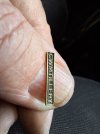
After more calibration tests (trial and error...) I made something. A name plate for my 7mm Tattoo - or at least a trial for one. I burnt four rectangular holes in the brass sheet before I dialed the engraving settings back enough to leave the plate. It's not perfect, but it has a nice depth to it.


20250427_174218
 

Giles

Western Thunderer
I will be needing cranks for the little Decauvilles, so that was next on the test list. The nearest convenient thickness is 0.9mm, so one was quickly drawn up in Autocad. I have in mind to use 2mm axles, and the cranks will have to be a nice tight fit. I have it in mind to use hypodermic needles for crank pins with plain pins inserted to retain rods on the front axle. These can be silver soldered into the cranks befor fitting to the axles, but I fear I will be forced to loctite the cranks to the axles rather than anything better, as I can't really use heat with printed wheels so close.
Anyway, I drew everything up, it took 50 seconds to cut, and it looks like the fit will be good straight off... of course the repeatability is not a problem which is excellent. I still haven't sorted cutting thicknesses over 1mm yet, but anything under.......


Fitzroy

Western Thunderer
That is looking seriously good- I can see a fibre laser in my future. What is the biggest overall length and width you can do before distortion, and do you see a noticable kerf angle at that point?
 

Giles

Western Thunderer
If you're talking about 'straight-line' distortion in plan, then there should be non regardless of length because the software corrects for it. I have a lense that gives me a 200 x 200 work area, though the one I have fitted at the moment gives me 100 x 100 (and therefore 4 x the power on the metal) small items directly centred under the lense have a negligible angle of kerf, but it increases the larger they are. The centre of radius would be in the region of about 250mm above the work working with the 110mm lense, and circa 400mm with the 200mm lense.
 

Giles

Western Thunderer
By off-setting the cutting line by 0.5mm, and cutting the "fill", I had no problem in cutting through 2mm brass, and doubtless it would cut through thicker, though I think it would be necessary to widen the off-set line. However, this technique has implications for cutting fine detail, as acute angles would start to have issues the thicker you get. I am also using a 110mm lens at the moment, which gives me maximum power. The drawback is that the laser head is set lower for this lens, so the angle of the kerf deteriorates quickly as you increase the size. This may not be a significant problem on thin sheet, but would be cutting large components out of thicker materials. A 200mm lense is included, and is set somewhat higher which greatly helps, but reduces the power output to 25% by area. This simply means you need a lot more passes to do the same job..... I also bought (but have not yet received) a 150mm lens as a halfway house.

The 2mm brass

Having satisfied myself that this wasn't a fluke and the principle behind it was a good one (and recorded the settings!) I then left that, and cut the reverser quadrants for the little 7mm Decauvilles. These are out of 0.28mm NS, and cut in about 30 seconds. I really wanted the notches, and they came out fine, but they're very small to handle!


timbowales

Western Thunderer
By off-setting the cutting line by 0.5mm, and cutting the "fill", I had no problem in cutting through 2mm brass, and doubtless it would cut through thicker, though I think it would be necessary to widen the off-set line. However, this technique has implications for cutting fine detail, as acute angles would start to have issues the thicker you get. I am also using a 110mm lens at the moment, which gives me maximum power. The drawback is that the laser head is set lower for this lens, so the angle of the kerf deteriorates quickly as you increase the size. This may not be a significant problem on thin sheet, but would be cutting large components out of thicker materials. A 200mm lense is included, and is set somewhat higher which greatly helps, but reduces the power output to 25% by area. This simply means you need a lot more passes to do the same job..... I also bought (but have not yet received) a 150mm lens as a halfway house.

The 2mm brass

Having satisfied myself that this wasn't a fluke and the principle behind it was a good one (and recorded the settings!) I then left that, and cut the reverser quadrants for the little 7mm Decauvilles. These are out of 0.28mm NS, and cut in about 30 seconds. I really wanted the notches, and they came out fine, but they're very small to handle!

Ooh that’s tiny. Are you going to join Tim Wateon and go 2mm :)
 
Top